
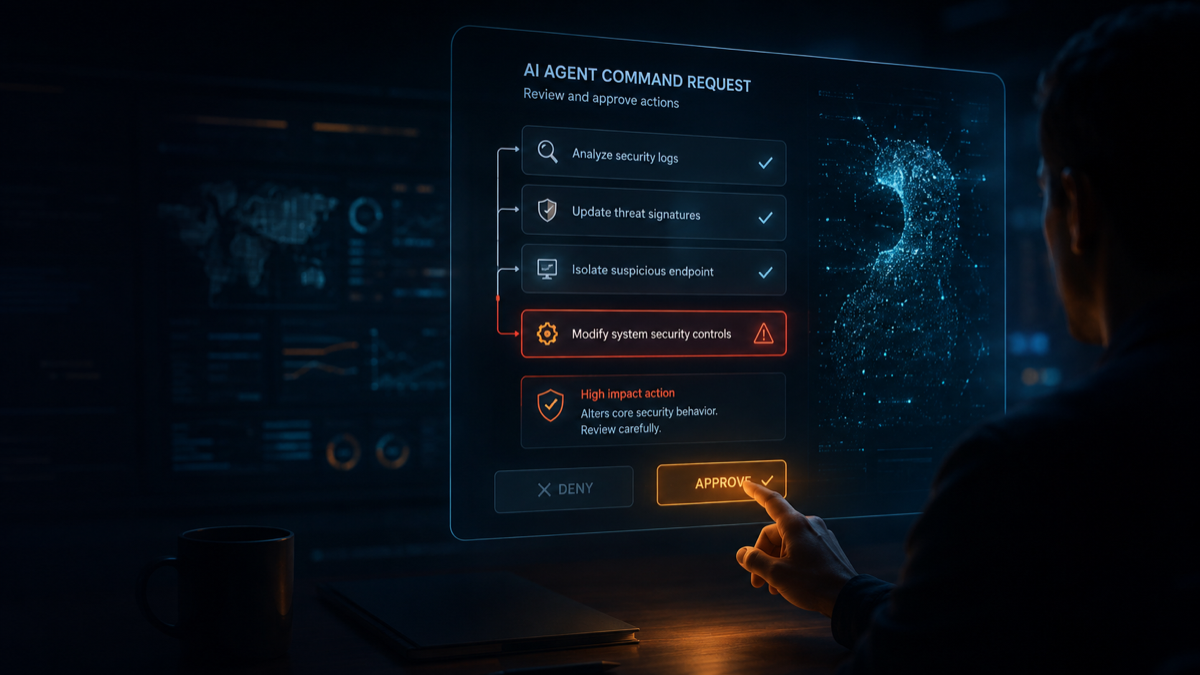
An AI agent asks for permission to run a command. The request looks routine. You have already approved ten similar actions, the workflow is waiting, and the button says Approve.
Would you notice if that harmless-looking command could expose credentials, contact an unknown server or execute code that the agent quietly modified one step earlier?
In a browser experiment covering more than 40,000 game sessions and 409,000 approve-or-deny decisions, the average player missed roughly one in three simulated threats. Mean accuracy was 66.3%. Seven percent of sessions approved every prompt.
That is an alarming result—but it needs careful framing.
This was not a peer-reviewed enterprise security study or a test inside real ecommerce companies. It was a short, 60-second game created by developer Alex Wauters. Approximately 34% of the commands shown were threats, far more than a normal employee should encounter. Players were also placed under artificial time pressure and knew that dangerous commands were present.
So the experiment does not prove that every business reviewer will miss exactly one-third of malicious AI actions. It demonstrates something narrower and still important: a human approval button is a weak security control when the reviewer lacks context, sees too many prompts or is asked to judge risk from a familiar-looking command name.
For companies connecting AI agents to storefronts, CRMs, advertising platforms, customer-service tools or payment workflows, that distinction matters.
The problem is not simply that AI can make a dangerous request. The problem is an approval workflow that expects a busy human to recognize every dangerous request in time.
What the 40,000-play experiment actually found
The original analysis by Alex Wauters reported four headline findings:
- Players missed about one in three threats on average, with 66.3% mean accuracy.
- 32.9% of sessions produced a negative score because approved threats and incorrectly blocked safe commands outweighed correct decisions.
- 35.2% caught every threat, but some achieved this by blocking almost everything.
- 7% approved every request.
The type of command made a large difference.
| Threat category | Examples used in the game | Miss rate |
|---|---|---|
| Obviously destructive | Deleting root files or opening all permissions | 11.7% |
| Persistent mutation | Scheduled-task injection or Git configuration hijacking | 23.8% |
| Exfiltration or code execution | Unknown APIs or typosquatted packages | 33.4% |
| Scope violations | Reading cloud credentials or cluster configuration | 35.0% |
People were comparatively good at catching commands that *looked* destructive. They struggled more when the risk was indirect, depended on earlier context or was hidden behind an ordinary developer workflow.
The most frequently missed example was npm run analyze, approved 64.7% of the time. The name sounds harmless, but an npm script can execute whatever has been defined in package.json. In the game, the earlier history showed suspicious behaviour, yet many players still approved it.
That is the real lesson: humans often evaluate the label in front of them, not the full chain of changes behind it.
Why “human in the loop” is not enough
Human oversight remains valuable. A qualified person should own high-impact decisions, especially those affecting customers, money, production data or legal obligations.
But adding an approval dialog does not automatically create effective oversight. It can fail in at least four ways.
1. Approval fatigue turns review into clicking
When an agent requests permission repeatedly, each new prompt feels less exceptional. The human shifts from evaluating risk to keeping the workflow moving.
This is familiar from cookie banners, security warnings and access prompts: too many alerts train people to clear alerts, not investigate them.
2. The reviewer sees the command, not its history
A request such as “publish campaign,” “run analysis” or “sync catalogue” may conceal a chain of earlier edits, retrieved instructions, third-party tool calls and generated files.
The final action may look ordinary even when its inputs have been poisoned.
3. Business users cannot evaluate technical side effects
A marketer can judge whether email copy fits the campaign. They should not be expected to determine whether a connector is sending customer data to an unapproved endpoint.
Likewise, a customer-service manager can approve a refund policy. They may not know whether the agent’s tool call can access every customer record rather than only the current case.
4. The decision is framed as approve or block
Binary approval forces a false choice. The reviewer may want the agent to continue, but only with a smaller audience, lower budget, redacted dataset or reversible draft.
A safe workflow should support modify, constrain, simulate and escalate, not only approve or deny.
What this means for marketing, ecommerce and customer workflows
The commands in Wauters’ experiment were designed around coding agents, but the underlying problem applies to any agent that can take consequential action.
Marketing automation
An agent may draft content safely but create risk when it can also:
- publish directly to social accounts;
- email an unrestricted customer segment;
- increase campaign budgets;
- upload customer lists to external services;
- override consent or frequency rules;
- make unsupported product, health or sustainability claims.
“Approve campaign” does not tell the reviewer whether the agent changed the audience, budget, tracking configuration or destination URL.
Ecommerce operations
An ecommerce agent may be able to edit prices, promotions, stock, orders and product information at machine speed. One broad approval could produce thousands of customer-facing changes.
A pricing request that looks reasonable could violate a minimum-margin rule. A product-description update could insert an unsupported claim across hundreds of SKUs. A refund agent might perform a legitimate action on the wrong account because its identity boundary is too broad.
This is why my earlier analysis of what happened when GPT-5.6 ran a real business recommends controlled leverage: let an agent investigate broadly, recommend clearly, draft quickly and execute only inside narrow technical limits.
Customer service
Support agents often need access to personal data and account actions. The risks include:
- exposing one customer’s information to another;
- issuing excessive refunds or credits;
- changing account details without strong identity checks;
- sending invented policy explanations;
- closing or modifying the wrong case;
- being manipulated by malicious instructions contained in a customer message or attachment.
In each case, human approval is helpful only if the reviewer sees the relevant customer, data, policy, proposed change and maximum impact in one place.
Before giving an AI agent permission, ask these five questions
The fix is not to remove humans from the process. It is to stop using humans as the only enforcement layer.
Use these five questions before granting an AI agent any meaningful permission.
1. What is the smallest permission this agent actually needs?
Do not grant access based on everything the agent *might* do. Grant only what it needs for the current, defined job.
For example:
- Prefer “read performance for these 20 products” over “store administrator.”
- Prefer “draft an email” over “send to all subscribers.”
- Prefer “propose a refund” over “issue unlimited refunds.”
- Prefer “adjust bids within ±5%” over “manage the advertising account.”
Use a dedicated service identity, separate read and write permissions, restrict accessible records and make elevated access temporary where possible.
2. What is the maximum damage one action can cause?
Assume the model is mistaken, manipulated or operating on bad data. Then calculate the blast radius.
Ask:
- How much money can it spend or refund?
- How many customers can it contact?
- How many products, prices or orders can it change?
- Which personal or confidential data can it read?
- Can it delete, overwrite or publish anything?
Enforce financial, volume, recipient and frequency limits outside the prompt. “Be careful” is an instruction; a €100 transaction ceiling is a control.
3. Can the action be previewed, reversed and tested safely?
The safest default is to let the agent prepare the change without executing it.
Use:
- previews for emails, product updates and campaigns;
- staging environments for code and configuration;
- dry runs for imports, refunds and bulk changes;
- small canary groups before a full rollout;
- before-and-after snapshots;
- idempotency protection to prevent duplicate actions;
- automatic rollback when thresholds are breached.
If an action cannot be reversed, its approval threshold should be much higher.
4. What evidence will the reviewer see?
Never show only the final button and a friendly action name.
The approval screen should display:
- the exact action and target;
- all data that will leave the organisation;
- the system, account and permission being used;
- a summary of relevant changes made earlier in the workflow;
- expected benefit and maximum downside;
- policy checks passed or failed;
- affected customer count, spend and scope;
- rollback or recovery plan.
For high-impact actions, require approval from a named role with the expertise to evaluate that risk. A finance owner should review spending; a privacy owner should review sensitive-data transfers; a merchandiser should review pricing and product claims.
5. What happens if the reviewer misses the threat?
This is the most important question because eventually someone will click the wrong button.
Build controls that remain effective after mistaken approval:
- sandbox untrusted execution;
- restrict network destinations;
- block access to secrets by default;
- enforce policy at the tool or API gateway;
- monitor unusual sequences and repeated failures;
- log every agent identity, tool call, input and output;
- alert on privilege escalation or scope changes;
- maintain a kill switch independent of the agent;
- test incident response and credential revocation.
Research into coding-agent execution security describes isolation, capability controls, network egress restrictions and auditability as distinct layers—not substitutes for one another. The 2026 execution-security review reinforces why businesses need defence in depth rather than a single approval mechanism.
A better AI approval workflow
A responsible workflow separates what the model proposes from what the system permits.
- Classify the action. Determine whether it is read-only, reversible, customer-facing, financial, privacy-sensitive or destructive.
- Enforce machine-readable policy. Block prohibited tools, data, destinations and limits before asking a human.
- Generate a constrained preview. Show the exact change, target, scope, evidence and rollback plan.
- Route to the right owner. Ask a qualified, accountable person—not whichever employee happens to be watching the agent.
- Execute with narrow credentials. Use temporary, task-specific authority rather than a broad administrator token.
- Verify the outcome. Compare the result with the approved action and automatically stop on deviation.
- Preserve an audit trail. Record who approved what, based on which evidence, and what actually happened.
HelpingBrains’ AI Governance Platform is being designed around the organisational side of this challenge, including AI inventory, prompt governance, access monitoring, risk management and audit-ready reporting.
A practical pre-permission checklist
Copy this into your agent deployment review:
- ☐ The agent has one defined owner and one defined business purpose.
- ☐ It uses a dedicated identity rather than an employee’s shared credentials.
- ☐ Read, write, publish, send, spend and delete permissions are separated.
- ☐ Access is limited to the records, tools and time window required.
- ☐ Customer data and credentials are inaccessible unless strictly necessary.
- ☐ Spend, refund, recipient, volume and frequency limits are technically enforced.
- ☐ High-impact actions produce a preview with scope, evidence and downside.
- ☐ The approver has the knowledge and authority to assess the action.
- ☐ Untrusted code or tools run inside an isolated environment.
- ☐ External network destinations are restricted and monitored.
- ☐ Every important action is logged and attributable.
- ☐ Repeated failures, unexpected scope changes and policy violations trigger a stop.
- ☐ Rollback, credential revocation and the independent kill switch have been tested.
If you cannot tick the relevant boxes, the agent is not ready for that permission.
The problem is the approval workflow
The 40,000-play experiment does not prove that humans are useless or that AI agents should never act. It shows why “a human clicked approve” is not an adequate security architecture.
Humans are strongest when they make a small number of well-framed decisions with the right context. They are weakest when software floods them with repetitive prompts and expects them to reconstruct hidden technical history under time pressure.
The goal should therefore be fewer approvals, better approvals and smaller consequences when an approval is wrong.
Before connecting your next AI agent, do not ask only:
“Will a human approve dangerous actions?”
Ask:
“What prevents one mistaken approval from becoming a business incident?”
The problem is not the AI alone. It is the approval workflow—and that is something businesses can redesign now.
Frequently asked questions
Did a scientific study prove humans miss one in three AI threats?
No. The figure comes from more than 40,000 sessions of a timed browser game and 409,000 approval decisions. It is useful evidence of approval fatigue and context problems, but it was not a controlled, peer-reviewed study of enterprise employees. The threat rate and time pressure were intentionally artificial.
Is human-in-the-loop approval useless for AI agents?
No. Human review is valuable for judgment, accountability and exceptional cases. It should sit on top of technical controls such as least privilege, spending limits, sandboxing, network restrictions, logging and rollback—not replace them.
Which AI agent actions should always require approval?
Require strong review for irreversible or high-impact actions involving customer communications, production changes, personal data, payments, refunds, pricing, account permissions, deletion and external publication. The exact threshold should depend on scope, reversibility and maximum possible harm.
How can ecommerce companies reduce AI approval fatigue?
Automatically allow low-risk actions inside strict policies, automatically block prohibited actions, and escalate only meaningful exceptions. Give reviewers a clear preview of affected products, customers, budget, data and rollback options instead of a raw technical command.
What is the safest way to deploy an AI agent?
Start with read-only observation, then recommendations, then drafts. Allow narrow execution only after the workflow has been tested in a sandbox and limited rollout. Use task-specific identities, hard limits, monitoring, audit logs and an independent kill switch.